
When you sit down to write a resume, think of it as a short conversation with the person who will decide if you get an interview. A recruiter’s job is to sift through dozens, sometimes hundreds, of applications in a short time. If your resume doesn’t speak their language, it gets set aside. Below you’ll find simple, step‑by‑step advice that a recruiter with 20 years of hiring experience uses every day.
- Understanding What Recruiters Look For
- Structuring Your Resume for Maximum Impact
- Contact Info and Headline
- Professional Summary vs. Objective
- Work Experience – Achievements, Not Duties
- Skills and Certifications
- Common Mistakes and How to Fix Them
- Real‑World Example: A Recruiter’s Walkthrough
- Final Checklist Before Sending
Key Learning Outcomes
- Learn the exact format recruiters scan first
- Use keywords and numbers to beat applicant tracking systems
- Apply a quick checklist to avoid common resume mistakes
Understanding What Recruiters Look For
Recruiters have a quick routine. First, they glance at the layout. If the document looks cluttered, they move on. Next, they scan for keywords that match the job posting. Finally, they hunt for numbers that prove impact. Knowing this three‑step habit helps you design a resume that passes the first hurdle.
First Impression: Format and Layout
Keep the design clean. Use a standard font like Arial or Calibri, 10‑12 point size, and plenty of white space. Headings should be bold and consistent. Avoid graphics, tables, or columns that can confuse applicant tracking software (ATS). A simple, single‑column format works best for both humans and machines.
Keywords and ATS
Most companies run resumes through an ATS before a human ever sees them. The software looks for exact words from the job description. Pull out the most important terms—like “project management,” “data analysis,” or “customer acquisition”—and weave them naturally into your bullet points. Don’t just copy‑paste; make sure the surrounding sentence still reads well.
Structuring Your Resume for Maximum Impact
Contact Info and Headline
Your name, phone number, email, and LinkedIn URL belong at the top. Below that, add a brief headline that tells the recruiter who you are and what you bring. For example, “Digital Marketing Specialist with 5+ Years of ROI‑Focused Campaigns.” This headline replaces the old “Objective” line and instantly tells the reader why you matter.
Professional Summary vs. Objective
A professional summary is a two‑sentence snapshot of your career highlights. Focus on achievements, not aspirations. An objective is outdated and often ignored. Write something like, “Results‑driven sales leader who increased regional revenue by 30% in two years.”
Work Experience – Achievements, Not Duties
Most people list duties (“Managed a team of five”). Recruiters want results (“Led a team of five to exceed sales targets by 20% in Q4”). Use numbers whenever possible—percentages, dollar amounts, or time saved. This quantifies your impact and makes your resume stand out.
Skills and Certifications
Create a short, targeted skills section. List hard skills that match the job (e.g., SQL, Adobe Creative Suite) and a couple of soft skills that are relevant (e.g., stakeholder communication). If you have certifications—like PMP or Google Analytics—place them here or under a separate “Certifications” heading.
Common Mistakes and How to Fix Them
Typos and Generic Language
A single typo can send a resume to the reject pile. Proofread twice, and ask a friend to review. Replace vague phrases like “hard‑working” with concrete examples that show the trait in action.
Overloading with Irrelevant Info
Everything on your resume should support the job you’re applying for. If you’re applying for a finance role, a part‑time barista job from five years ago belongs only if you can tie it to relevant skills like cash handling or customer service.
Ignoring the Job Description
Every posting has clues about what the hiring manager values. Mirror the language they use. If the ad mentions “cross‑functional collaboration,” be sure to include that phrase in a bullet that describes a real project.
Real‑World Example: A Recruiter’s Walkthrough
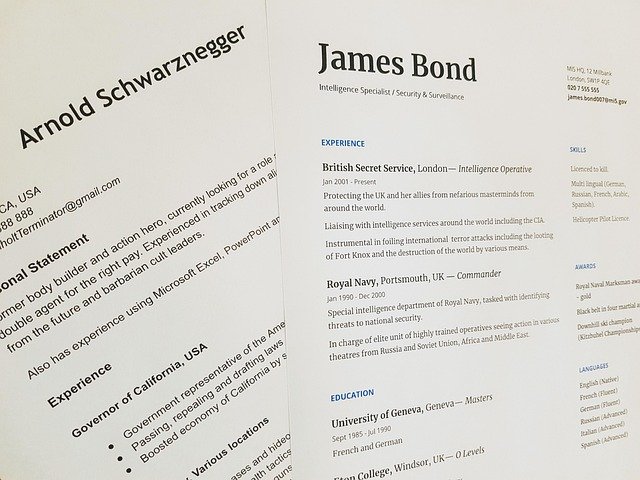
Imagine a recruiter opening a resume for a marketing coordinator role. The first thing they see is a clean header with the candidate’s name and a headline that reads, “Marketing Coordinator with 3 Years of Social Media Growth.” The recruiter’s eyes move to the summary, which quickly lists a 45% increase in follower engagement and a $50K boost in ad ROI. In the experience section, each bullet starts with an action verb, includes a metric, and uses keywords from the posting—like “content calendar,” “SEO,” and “A/B testing.” When the recruiter reaches the skills box, they spot “Google Analytics” and “HubSpot,” matching the required tools. This quick scan tells the recruiter the candidate is a strong fit, so the resume moves forward.
Need help with the cover letter that goes with this resume? Check out How to Write a Cover Letter With No Experience: Student Guide for a friendly step‑by‑step plan. You can also revisit that guide later for tips on tailoring your cover letter to each job posting here.
Final Checklist Before Sending
- Is the layout single‑column, 10‑12 pt font, and free of graphics?
- Did you include 3‑5 keywords from the job description?
- Are all achievements quantified with numbers?
- Did you proofread for spelling and grammar errors?
- Is the file saved as a PDF named “FirstName_LastName_Resume.pdf”?
Run through this list, make any needed tweaks, and you’ll feel confident sending your resume out. Remember, a recruiter spends only a few seconds on each document. Make those seconds count, and you’ll see more interview invitations.